Package Tracking Guide: Everything You Need to Know
You’ve just ordered something online, and now comes the part everyone knows too well refreshing the tracking page every few hours, hoping the little dot on the map has moved. Package tracking has become such a normal part of shopping that we barely think about how it actually works, until something goes wrong.
Maybe the tracking number won’t load. Maybe it says “delivered” but there’s nothing on your porch. Maybe you don’t even have a tracking number to begin with.
This guide walks through everything related to tracking a package, from the basics of what a tracking number actually is, to spotting scams, to keeping tabs on a dozen shipments at once without losing your mind.
What Is a Tracking Number?
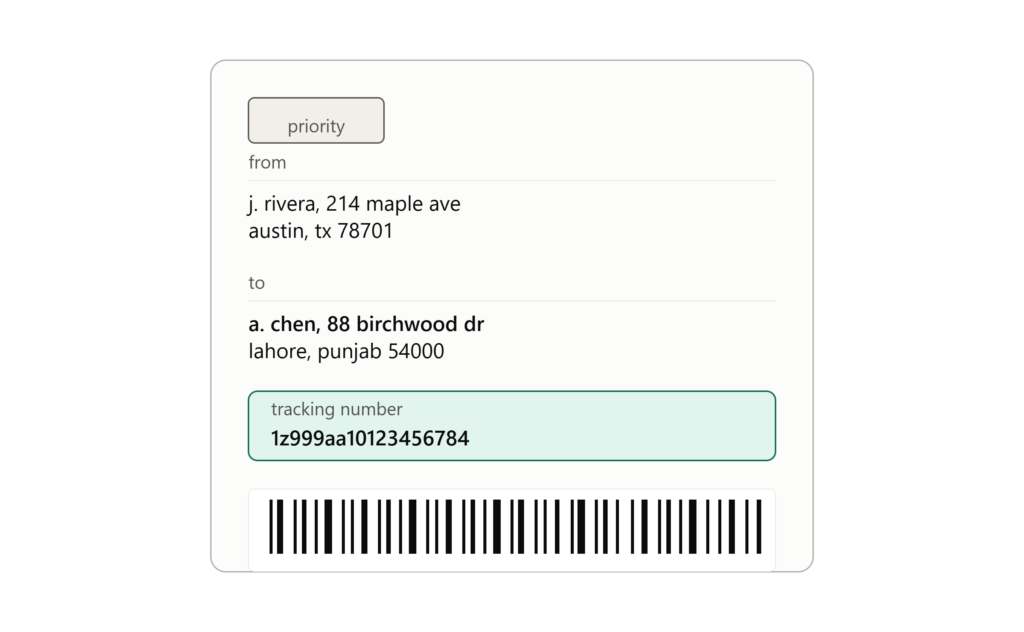
A tracking number is a unique string of letters and numbers assigned to a shipment the moment it’s created in a carrier’s system. Think of it as a shipment’s ID card. No two active packages share the same number, which is what allows carriers like UPS, FedEx, USPS, and DHL to tell your package apart from the millions of others moving through their network on any given day.
When a seller or shipping company generates a shipping label, the tracking number gets baked into that label as both a printed code and a barcode. Every time the package passes a scanning point — a sorting facility, a delivery truck, a regional hub — that barcode gets scanned, and the system logs a new status update tied to that number.
In practice, this is the piece of information that connects three things: the physical package, the carrier’s internal tracking system, and you, the person waiting for it. Without it, there’s no reliable way to ask “where is my stuff right now?”
How Package Tracking Works
Package tracking sounds simple on the surface — you enter a number, you see a status — but there’s a fair amount happening behind the scenes.
Here’s the general flow:
- Label creation – The sender generates a shipping label through the carrier’s system (or a platform like Shopify, Etsy, or Amazon that talks to the carrier on their behalf). This step creates the tracking number and links it to shipment details like origin, destination, and service type.
- Manifest and pickup – The carrier receives an electronic manifest listing what’s expected to be picked up. Once the package physically enters the carrier’s hands, the system marks it as “shipment received” or something similar.
- Scan points – As the package moves through the network, it passes through multiple scan points. Each scan updates the tracking history with a timestamp and location, which is why tracking pages often show a string of cities the package passed through.
- Sorting and routing – Automated sorting equipment reads the barcode to decide which truck, plane, or route the package should go on next. This is where most of the “in transit” updates come from.
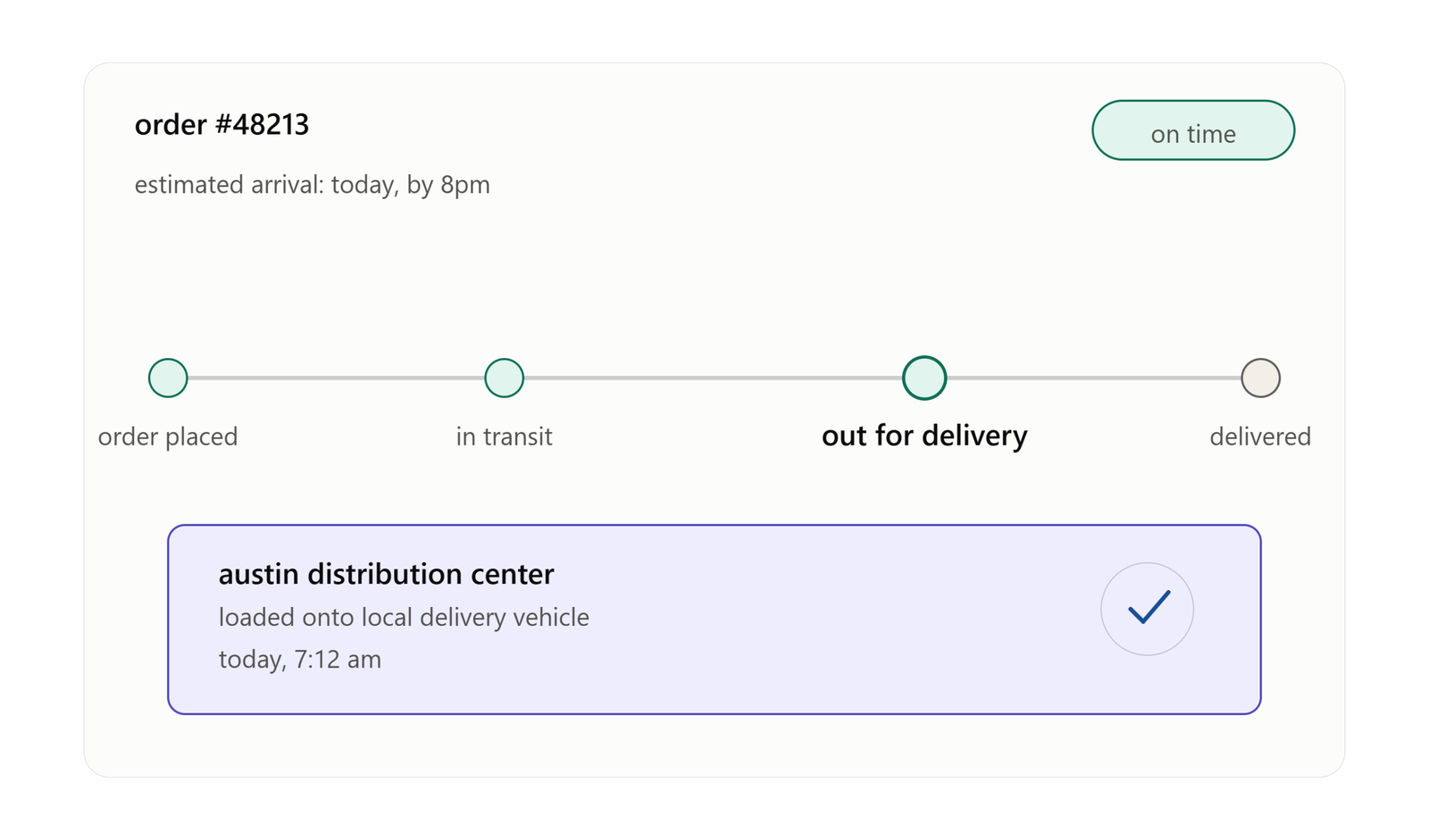
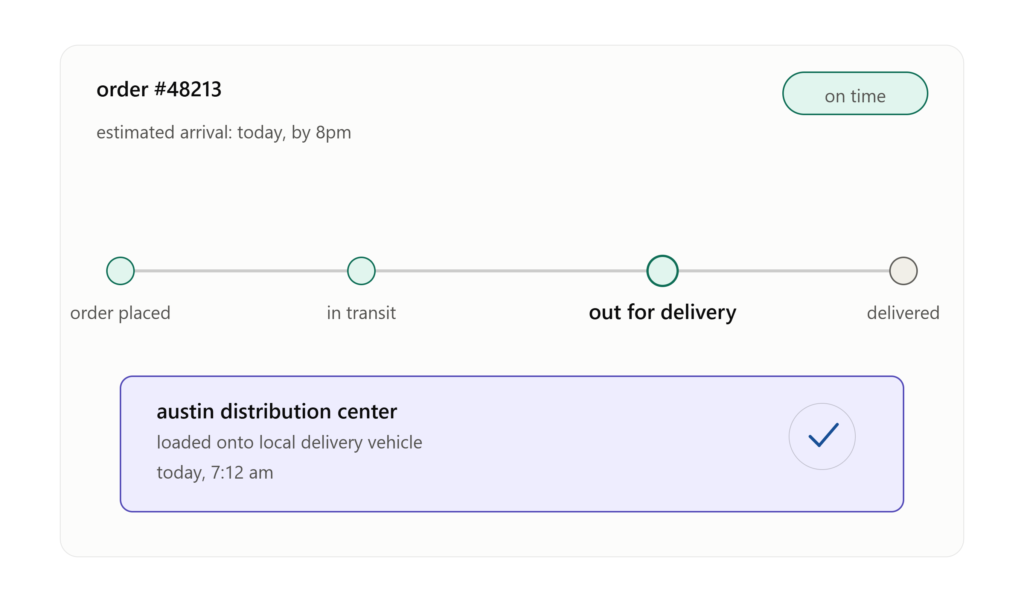
- Out for delivery and final scan – The last scan usually happens when the package is loaded onto a local delivery vehicle, followed by a final “delivered” scan, sometimes accompanied by a photo or GPS coordinate as proof.
All of this data gets pulled together and displayed on the carrier’s tracking page, and often relayed to third-party tracking tools or the retailer’s own order-tracking page as well. The key thing to understand is that tracking updates are only as good as the last scan — if a package sits between scan points for a while, the status can appear frozen even though it’s still moving.
How to Track a Package
Tracking a package is usually straightforward once you have the number in hand.
- Go directly to the carrier’s website. Whether it’s USPS, UPS, FedEx, DHL, or a regional courier, each has a tracking tool on its homepage where you paste in the number.
- Use the retailer’s order page. Most online stores link directly to live tracking status from your order history, so you don’t need to hunt down the carrier yourself.
- Check your email confirmations. Shipping confirmation emails almost always include the tracking number and a clickable link.
- Try a universal tracking tool. Sites like 17TRACK, ParcelsApp, or AfterShip can detect the carrier automatically just from the number format, which is handy when you’re not sure who’s delivering your package.
- Use carrier apps. The UPS, FedEx, and USPS mobile apps let you save tracking numbers and get push notifications the moment the status changes, which beats manually refreshing a browser tab.
Once you plug in the number, you’ll typically see a timeline: order processed, picked up, in transit, arrived at facility, out for delivery, delivered. Some carriers also show an estimated delivery window, which can shift as the package moves.
How to Track a Package Without a Tracking Number
Losing or never receiving a tracking number is more common than people think, especially with gifts, marketplace orders, or split shipments. Fortunately, there are a few workarounds.
- Check your order confirmation or account dashboard. Even if the number wasn’t in the shipping email, it’s often sitting quietly in your account’s order history.
- Contact the seller directly. Ask them to resend the tracking details. Most sellers can pull this up in seconds from their own shipping platform.
- Search your email for the carrier’s name. Searching “UPS,” “FedEx,” or “USPS” in your inbox often surfaces a notification you missed.
- Use the recipient address and date. Some carriers, particularly USPS with its Informed Delivery service, let you see scanned mail and packages addressed to you without needing the exact tracking number.
- Ask your local post office or courier depot. If you know roughly when the package was shipped, staff can sometimes look it up using the sender’s account information.
If none of these work, the safest move is reaching back out to whoever sent the package. Trying to guess or search randomly rarely gets results, since tracking systems are built to require an exact match.
How to Track Multiple Packages at Once
If you’ve ever had five different orders arriving in the same week, you know how tedious it gets opening five separate tabs. A few approaches make this far less painful.
- Batch tracking tools. Services like ParcelsApp, TrackingMore, or 17TRACK let you paste in a whole list of tracking numbers and see every status on one dashboard.
- Email-based auto-tracking apps. Some apps scan your inbox (with permission) and automatically pull in tracking numbers from shipping confirmations, building a running list without any manual entry.
- Carrier account dashboards. If you frequently order from the same store or use the same shipping account, logging into that account often shows every active shipment in one place.
- Browser extensions. A number of shopping-focused browser extensions will detect tracking numbers on pages you visit and consolidate them automatically.
For anyone doing a lot of online shopping, especially around holidays, one of these tools is worth setting up in advance rather than trying to manage a dozen open tabs.
Tracking Number Format
Tracking numbers aren’t random. Each carrier follows its own format, which is actually useful — recognizing the format can tell you who’s shipping your package even before you look it up.
- USPS: Typically 20-22 digits, sometimes starting with a combination like 9400, 9205, or 9407, or a shorter format ending in “US” for international shipments (e.g., a 13-character code like RA123456785US).
- UPS: Starts with “1Z” followed by 16 alphanumeric characters (e.g., 1Z999AA10123456784).
- FedEx: Usually 12 digits for ground and express shipments, though some older or Freight services use 15 or 20 digits.
- DHL: Generally 10 digits for DHL Express, though DHL eCommerce numbers can look quite different, often longer and alphanumeric.
- Amazon Logistics: Often a longer alphanumeric string, sometimes starting with “TBA.”
Knowing these patterns is genuinely useful when a tracking number shows up without any indication of which carrier sent it — you can often make an educated guess just by counting characters and looking at the prefix.
Invalid Tracking Number
An “invalid tracking number” message is one of the more frustrating things to see, especially right after ordering something. A few reasons this happens:
- The label was just created. Carriers sometimes don’t register a number in their live tracking system until the package is physically scanned, which can take 24-48 hours after the label prints.
- You entered it wrong. Tracking numbers are long, and it’s easy to mistype a digit or accidentally include a space.
- Wrong carrier selected. If you’re using a universal tracker and it guessed the wrong carrier, the number will look “invalid” even though it’s perfectly valid elsewhere.
- The shipment was cancelled or never actually shipped. Sometimes a label is generated but the package doesn’t move for days, or the order gets cancelled after the label was created.
- System lag. Occasionally the carrier’s own systems are just slow to sync, particularly during high-volume periods like the holidays.
If a tracking number still shows as invalid after a few days, it’s worth reaching out to the seller. It usually isn’t a sign of anything malicious — just a technical hiccup on the shipping end.
Fake Tracking Number
Not every “invalid tracking number” is innocent. Fake tracking numbers are unfortunately a known tactic among scam sellers, particularly on marketplaces and social media ads, used to make it look like an order shipped when it never did.
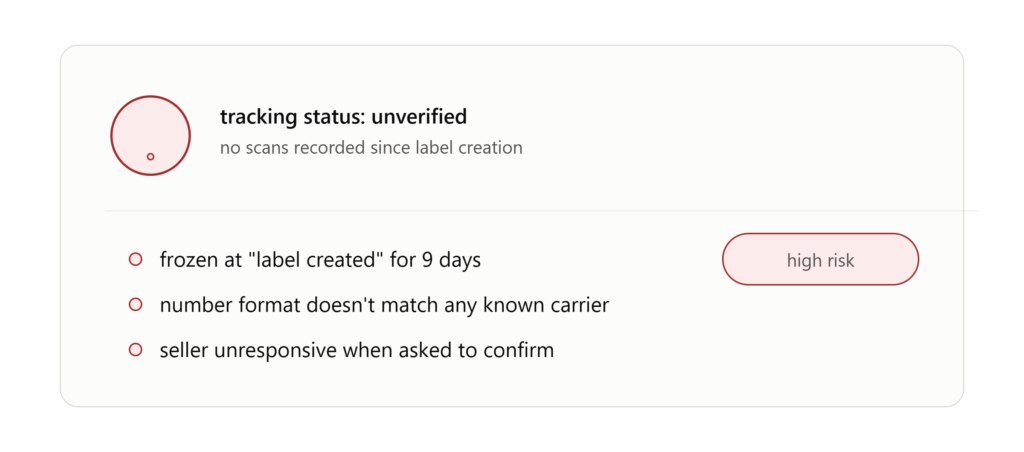
Signs a tracking number might be fake:
- It never updates past “label created.” A real package almost always shows movement within a few days. If it sits frozen for over a week with no scans at all, that’s a red flag.
- The format doesn’t match any real carrier. If the number doesn’t fit any known carrier pattern, it may have been generated randomly just to appear legitimate.
- The carrier’s own site says it doesn’t exist. Third-party tracking sites sometimes display generic placeholder statuses even for numbers the actual carrier has never issued. Always double check directly on the carrier’s own website.
- It’s tied to an unrelated shipment. Some scammers reuse legitimate tracking numbers from completely different orders, so the number is real but has nothing to do with your package. This sometimes shows delivery in a city you don’t live in.
- The seller is unusually evasive about it. If a seller can’t or won’t clarify a tracking issue after being asked directly, that’s worth taking seriously.
If you suspect a fake tracking number, your strongest move is to dispute the charge through your payment provider, since most banks and platforms require proof of legitimate tracking before releasing funds to the seller.
Frequently Asked Questions
How long does it take for a tracking number to become active? Usually between a few hours and two days after the shipping label is created, depending on how quickly the carrier physically scans the package into their system.
Why does my tracking say “delivered” but I don’t have my package? This can happen due to a misdelivery, a scan recorded slightly before the actual drop-off, or in rare cases, package theft. Check with neighbors first, then contact the carrier, since many delivery scans include GPS coordinates that can help locate exactly where it was left.
Can I track a package using just my name and address? Generally no. Carriers require the exact tracking number for privacy and security reasons, though services like USPS Informed Delivery are an exception since they’re tied to your specific address rather than a single shipment.
Do all sellers provide tracking numbers? Most legitimate sellers do, especially for anything above a minimal shipping cost. Some very low-cost shipping options, particularly for small international orders, may not include full tracking, only basic delivery confirmation.
Is it normal for tracking to show no updates for several days? It happens, particularly during international transit or peak shipping seasons, but it shouldn’t stretch on indefinitely. If there’s a long gap with no updates, it’s worth checking in with the carrier or seller.
What’s the difference between tracking number and order number? An order number is generated by the retailer and refers to your purchase as a whole. A tracking number is generated by the shipping carrier and refers specifically to the physical package’s journey. The two are often different, even though people sometimes use the terms interchangeably.
Final Thoughts
Package tracking feels like a small, almost invisible part of online shopping, until it’s the only thing standing between you and knowing whether your order is actually on its way. Understanding how tracking numbers work, recognizing carrier formats, and knowing what to do when something looks off can save a lot of unnecessary stress. Whether you’re tracking one package or ten, a little bit of know-how goes a long way toward keeping your deliveries — and your peace of mind — on schedule.
Want to Track Speedx package? Track Here